Whats New 2027
Version 2027 introduces a completely new feature with the QR code tool. In addition, existing functions have been extended and various bugs have been fixed.
Support for Inventor 2027
Multitool 2027 supports Autodesk Inventor 2025, 2026, and 2027.
QR Code
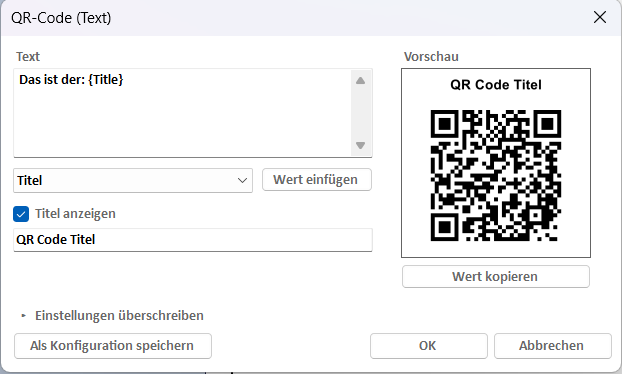
With the new QR code tool, you can place QR codes directly on Inventor drawings. The content can consist of free text with variables (iProperties, date, file name), a Vault ThinClient link, or a Fusion Manage link. Frequently used contents can be saved as configurations and placed with a single click. Placed QR codes are stored as sketched symbols and can be edited at any time or updated automatically when opening or saving a drawing.
You can find all the details in the QR Code chapter.
STEP Batch Export
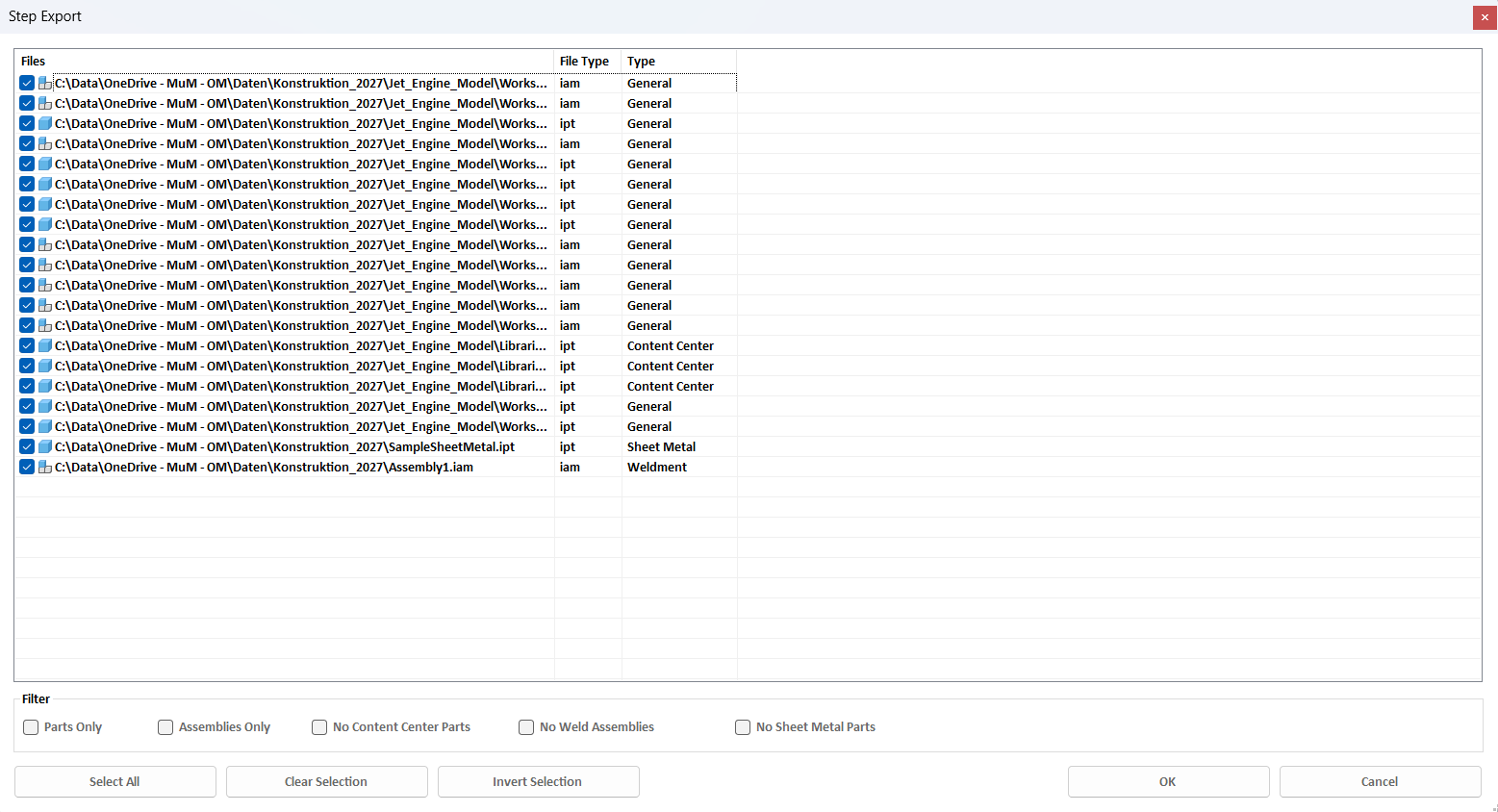
The STEP export in assembly mode has been extended:
- New Filter group: The file list can be restricted to parts or assemblies; Content Center parts, weldment assemblies, and sheet metal parts can be hidden.
- New columns File Type (ipt/iam) and Type (General, Sheet Metal, Weldment, Content Center).
- The export can now be canceled: A progress dialog shows the file currently being exported; clicking Cancel stops the export after the current file.
Work Planes in the Marking Menu
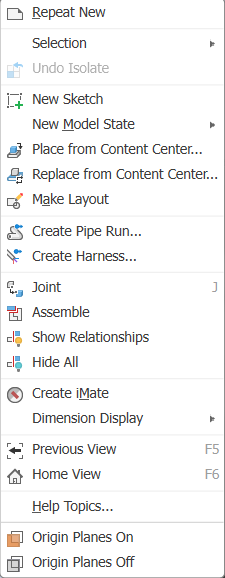
The Show Planes and Hide Planes commands are now also available in the marking menu when the top-level assembly is selected. The menu entry is consistently located after the "Copy" command.
Further Improvements and Bug Fixes
- The marking menus are no longer blocked when no valid license is present.
- Quick Insert: Recently opened files reliably appear in the list again.
- "Show work planes" was no longer available in certain situations.
- The language detection now also takes network paths into account.